Be exact about both strings
Copy the existing wording accurately and type the full replacement, including capitalization and punctuation. If the same text appears several times, identify the intended position in additional direction.
 ShotTide
Change a headline, label or sign without rebuilding the whole composition.
2 credits · one result
Plans and creditsNo generation starts on upload or login. Confirmed failed jobs return reserved credits.
Choose a source or describe a new image. The result appears here.
Review faces, hands, garment details and exact spelling before publishing AI-edited images.
SUMMER becomes AUTUMN while the subtitle and card layout remain. Check spelling and fine typography on your own output.
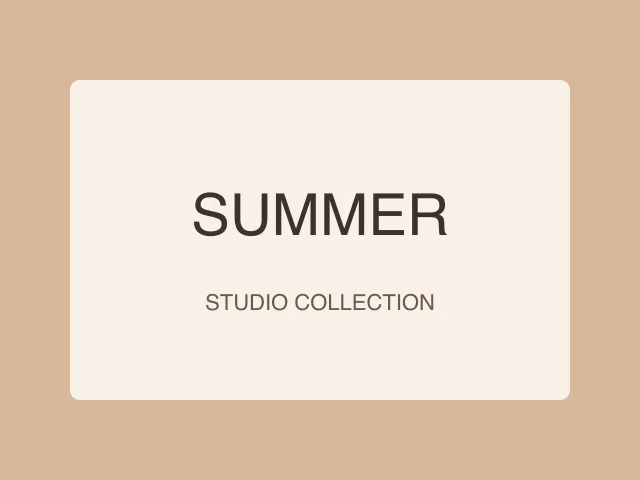
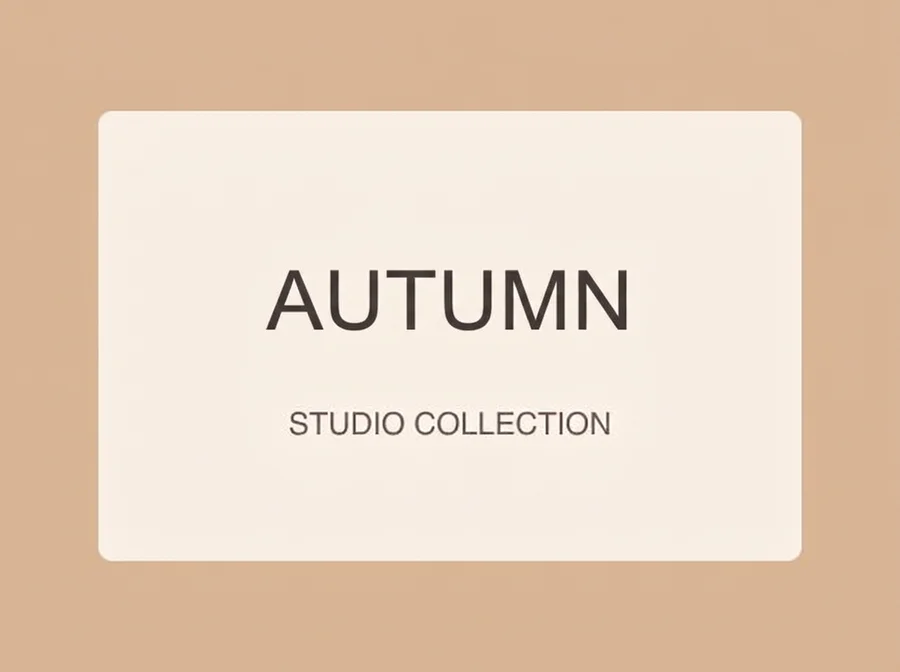
An AI image text editor replaces specified wording already visible in a picture. Enter the existing text and its replacement, then add direction about the intended location or style. This is generative editing rather than a layered font editor: the result must be checked for spelling, spacing and unintended changes.
Copy the existing wording accurately and type the full replacement, including capitalization and punctuation. If the same text appears several times, identify the intended position in additional direction.
Text on a poster, cloth or curved package needs different perspective and texture. Describe what should stay consistent. Short, clear replacements are easier to review than entire paragraphs.
Compare every character, especially numbers, prices and non-Latin scripts. The tool does not guarantee a specific font file or exact legal text. Keep a separate source of truth for critical wording.
Use a picture with readable text and sufficient resolution.
Specify the text to replace and the exact replacement.
Compare the result and download it only after proofreading.
An editable prompt example. Adapt the subject and setting to your own source.
Replace only the specified headline. Match its original letter style, alignment, perspective and texture. Preserve all other words and the background.
No. The output is a flattened PNG. For text layers, exact fonts and precise typesetting, use a design editor with your original source file.
You can enter a replacement in another language. You supply and verify the translation; the tool edits the picture and does not certify translation accuracy.
It tries to match the visual style, spacing and perspective. Exact font matching is not guaranteed, especially on small or distorted text.
One result costs 2 credits. A confirmed failed or canceled task returns its reserved credits. A new version is a separate generation.