A product in close-up
Explore glass, light and a clean product reveal. Start with a clear reference and check the bottle silhouette in every take.
Try this direction ShotTide
AI Video Agent
Plan the story, direct each shot, and bring your campaign into motion in one editable workspace.
An AI video agent helps turn an idea into a sequence of production decisions. ShotTide starts with an editable 2–6 shot storyboard. In Canvas, ask the assistant to revise a scene, review its proposed changes, then choose which images, clips and voiceovers to generate.
Original showcase concepts. Use the briefs as a starting point for your own product.
Explore glass, light and a clean product reveal. Start with a clear reference and check the bottle silhouette in every take.
Try this directionLet materials and careful actions lead the sequence. Add a verified brand message instead of inventing a company history.
Try this directionShow how a lamp sits in an everyday room. Connect a wide view with a detail shot and a simple closing frame.
Try this directionSet a subject, audience and visual direction. Change shot prompts, narration and order before committing to media generation.
Open the workflowAsk the Canvas assistant to shorten an opening, clarify a product benefit or change the mood. Apply its proposal to the existing project.
Open the workflowCompare generated takes, keep the media you prefer and retry an individual shot without rebuilding the whole film.
Explore examplesCombine selected clips and narration, adjust captions and branding, then export an MP4 from the same project.
Open the workflow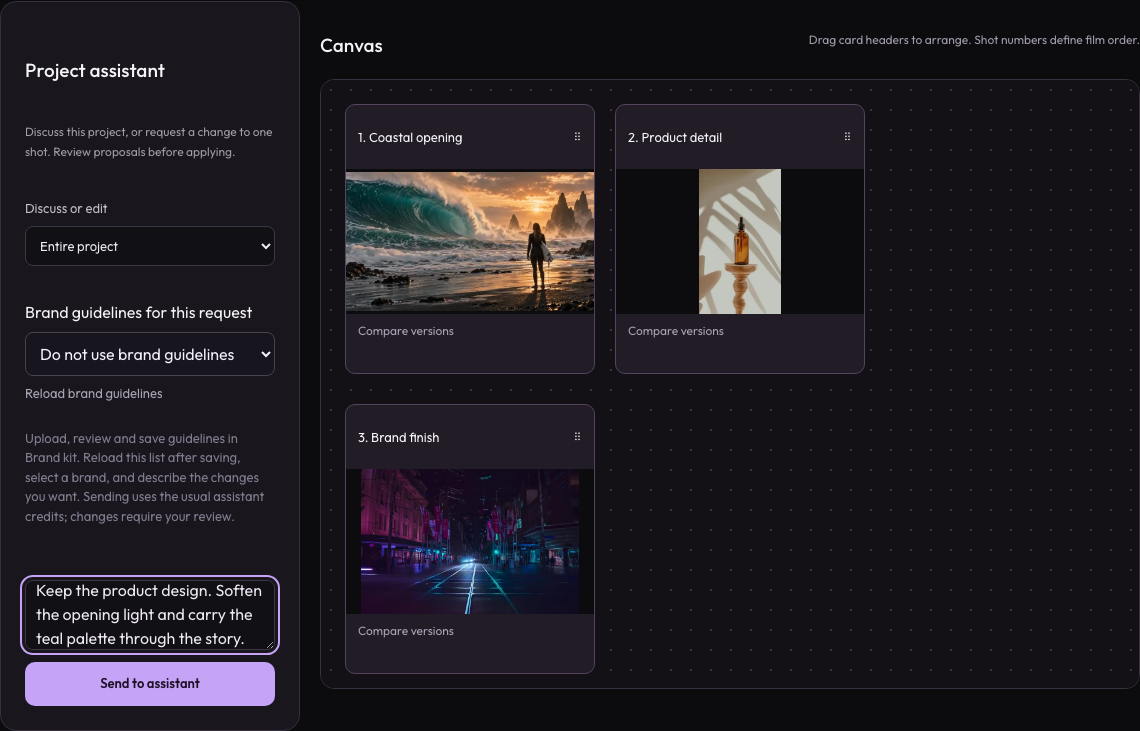
Workspace illustration with example data.
Describe the subject, audience, story and intended screen. Choose the shot count in Studio.
Edit prompts and narration, then use the Canvas assistant for targeted revisions.
Start the selected media tasks, review the outputs, and export the chosen sequence.
Start with an idea or references. Review the plan before approving media production.
Review pricing and creditsPlan the story, direct each shot, and bring your campaign into motion in one editable workspace.
Open StudioReview the storyboard first, then approve a batch quote. The batch generates missing images, clips and optional narration, and exports a film from the saved plan. You can also generate individual takes and select them yourself.
Yes. A project retains its shots and selected media. You can change the plan, generate alternative takes and choose a different version for export.
Yes. Video Agent accepts up to three ordered image references and one reference video alongside your brief. For product URL import and separate product/presenter inputs, use Product Studio. Review the resulting plan before generation.
Planning, images, video and narration are separate tasks with different credit costs. Review the current Studio quote and pricing page before starting.