A product in its setting
Show how a lamp sits in an everyday room. Connect a wide view with a detail shot and a simple closing frame.
Try this direction ShotTide
AI Product Video
From a product image or listing to a demo with clear details, a focused story and your own direction.
An AI product video generator uses product facts and visual references to create product-focused scenes. Start with a public listing or your own image, review the extracted information, then plan close-ups, usage shots and a clear ending for a product page or launch.
Original showcase concepts. Use the briefs as a starting point for your own product.
Show how a lamp sits in an everyday room. Connect a wide view with a detail shot and a simple closing frame.
Try this directionDemonstrate a single preparation step. Use a stable product reference and verify that the motion matches real operation.
Try this directionGive the reveal a beginning, middle and finish. Confirm the packaging and included items before adapting the brief.
Try this directionUpload a clear product image or import a readable listing. Check shape, labels and materials before choosing a generated take.
Open the workflowBuild a chronological demonstration using supplied operating details. Keep one action in each shot so the sequence stays easy to review.
Open the workflowPlan landscape demos or vertical clips. Use a different opening and CTA for a listing visitor than for someone scrolling a feed.
Explore examplesKeep product name, description, reference images and campaign context together. Revise the creative without inventing specifications.
Open the workflow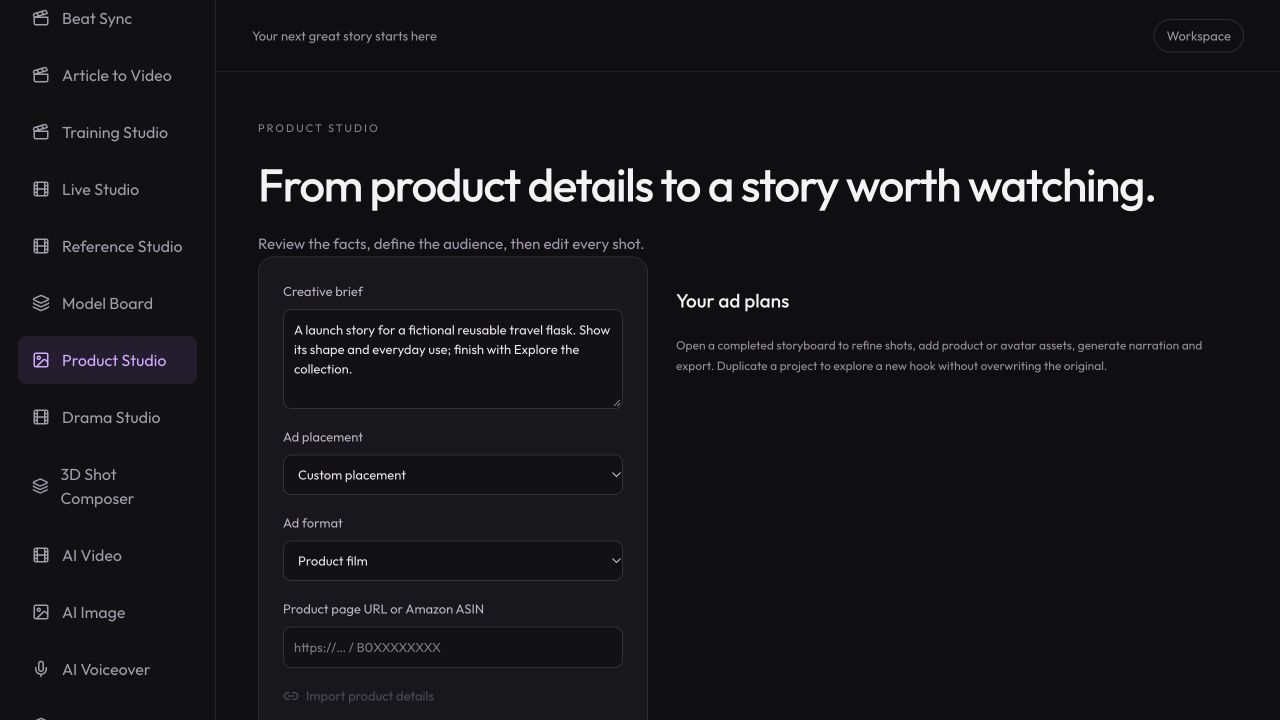
Workspace illustration with example data.
Import a public page or upload your own product image in Studio. Confirm the name, description and benefits.
Choose the audience, format and 2–6 shots. Review every instruction and product claim.
Check the generated shape, labels and motion against the source. Select acceptable takes, add narration and export.
Use a clear reference and a short demonstration you can check against the actual product.
Review pricing and creditsFrom a product image or listing to a demo with clear details, a focused story and your own direction.
Open StudioAI can change fine details, labels or geometry. Reference images guide generation but do not guarantee exact fidelity. Compare every result with the original before publishing.
The importer supports readable public product pages and includes Amazon and Shopify handling. Verification challenges, private pages and some storefront protections can prevent import; manual facts and image upload remain available.
Use PNG, JPEG or WebP under 5 MB and 16 megapixels. Use clear images you have permission to use, with the whole product visible.
The workflow can generate moving video clips from product references and assemble selected shots with narration. Review individual clips before exporting the sequence.