From package to reveal
Give the reveal a beginning, middle and finish. Confirm the packaging and included items before adapting the brief.
Try this direction ShotTide
URL to Video
Bring the listing, audience and creative direction together. Review the facts, then make the film.
Original visual concept. Your result depends on your inputs and selected models.
URL to Video starts from a webpage instead of a blank brief. ShotTide imports readable product information into editable fields. You confirm the facts and reference image, then plan and produce a video using the same product workflow.
Original showcase concepts. Use the briefs as a starting point for your own product.
Give the reveal a beginning, middle and finish. Confirm the packaging and included items before adapting the brief.
Try this directionMake the material and controls easy to see. Choose the product image first, then direct a short, focused camera move.
Try this directionShow how a lamp sits in an everyday room. Connect a wide view with a detail shot and a simple closing frame.
Try this directionImport a public product page in Studio. Check the extracted name, description and image; correct missing or stale details before planning.
Open the workflowTell the planner who the video is for, which benefit matters and how it should look. A listing alone does not define a campaign.
Open the workflowIf a shop blocks access or presents verification, retain your brief and enter product facts or upload an image manually.
Explore examplesUse the reviewed product facts for a demo, a launch or a creator-style explainer. Compare angles without retyping the whole listing.
Open the workflow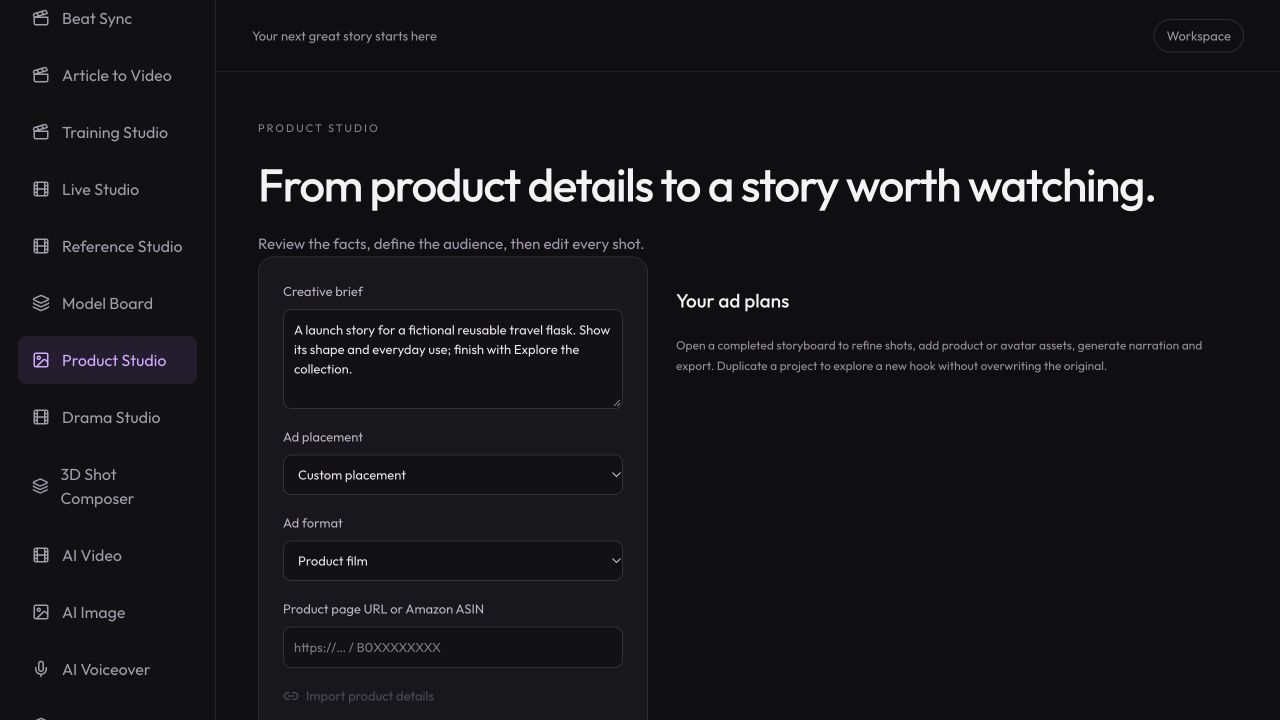
Workspace illustration with example data.
Add the intended audience, a supported selling point and a visual style.
Open Product Studio and explicitly import the page. Review its title, description and selected image.
Plan the shots, generate the selected media and export after reviewing the result.
Use a public product page as source material for a new video, then confirm the information before generation.
Review pricing and creditsBring the listing, audience and creative direction together. Review the facts, then make the film.
Open StudioThis tool creates a new video from reviewed product-page information. It imports product facts and a reference image into Studio; it does not download an existing YouTube or social video. URL to Video and Link to Video refer to this same product workflow.
No. Private pages, verification challenges, dynamic-only content and access restrictions can prevent import. Use manual product details and your own image when a page cannot be read.
This form prepares your inputs and opens Studio. It does not automatically import or start paid generation. Review the task and its cost before submitting.
Use Article Studio for article-to-video work. This page focuses on product listings so the imported fields and resulting plan match a product-video brief.