A product in close-up
Explore glass, light and a clean product reveal. Start with a clear reference and check the bottle silhouette in every take.
Try this direction ShotTide
AI Ads Video
Turn product facts into hooks, editable scenes and video variations for your next campaign.
An AI ad generator turns product information and a campaign objective into a video concept, then helps produce the assets. ShotTide keeps the hook, product demonstration and call to action editable, so each variation tests a specific message instead of simply making more videos.
Original showcase concepts. Use the briefs as a starting point for your own product.
Explore glass, light and a clean product reveal. Start with a clear reference and check the bottle silhouette in every take.
Try this directionIntroduce the product with a synthetic presenter, then move to the details. Keep the script factual and the reference product visible.
Try this directionBuild a sensory opening around preparation and texture. Use only the ingredients and process supplied for your product.
Try this directionDefine the audience, verified benefits and call to action. Choose product, UGC, how-to, comparison, offer or brand-story creative.
Open the workflowChoose vertical Stories and Reels, landscape in-stream or a six-second bumper. Keep essential details clear of platform overlays.
Open the workflowUse batch variants to compare hooks or formats while retaining the same reviewed product facts. Keep a record of the angle each version tests.
Explore examplesReview captions, narration, logo placement and the final export. Set up ad targeting, budgets and interactive buttons in your advertising platform.
Open the workflow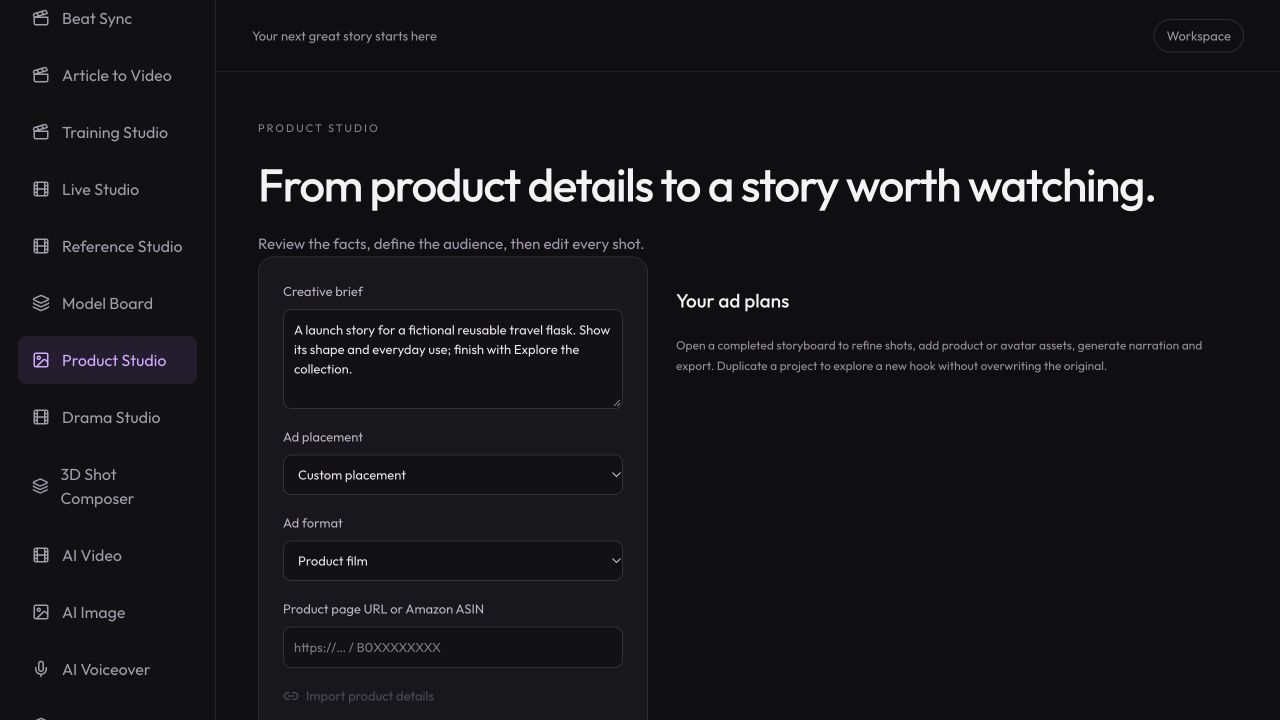
Workspace illustration with example data.
Add a product link or facts, choose the audience and one campaign objective.
Review the proposed hook, product shots and CTA. Generate selected variants rather than guessing which message will work.
Review the final MP4, publish through your ad platform and compare results against your own baseline.
Choose the message you want to test before generating another variation.
Review pricing and creditsTurn product facts into hooks, editable scenes and video variations for your next campaign.
Open StudioYes. Open URL to Video, enter a public product page and review the imported details in Product Studio. Protected or unreadable pages can be entered manually.
No. Creative generation does not establish advertising performance. Test a clear hypothesis with your audience, placement, offer and measurement setup.
Product Studio supports batch variations with editable formats and hooks. Review the estimate and each result before exporting a delivery package.
Selected video clips, chosen narration and configured captions or branding. Clickable overlays, targeting and campaign budgets belong in the advertising platform.